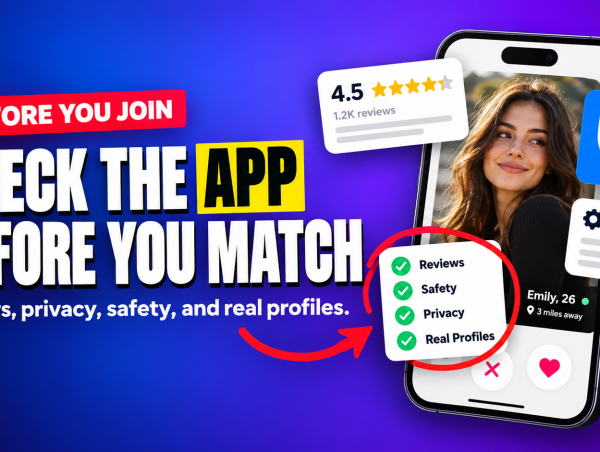
Step #1 in our guide to dating apps for a serious relationship is choosing the app by how it is built. This is the practical half of that step: what to look at before you hand over your photos, your phone number and your location.
It takes about ten minutes per app, and most of it can be done before you create an account. The app’s store page, its help center and its safety page tell you nearly everything.
There are three things to check, plus one setting most people never touch.
1. How the app verifies people
Look for photo or ID verification and a visible badge on profiles that passed it. Tinder, Bumble and Hinge all offer some form of selfie verification, and Tinder has been making its Face Check a requirement for new members in a growing number of places.
What you want to know is whether verification exists, whether it shows on the profile, and whether you can filter or at least spot unverified accounts. If an app has no verification at all, expect more fake profiles and more of your time spent sorting them out.
A badge confirms that a face matches the photos. It says nothing about what the person wants or how they behave, so it lowers one risk and leaves the rest to you.
2. Where the report and block buttons are
Open any profile in the app’s screenshots or help pages and find out how you would report it. On a well-run app, report and block are one or two taps from every profile and every chat, and the help center explains what happens after you report.
Check one more thing: whether you can unmatch or block without the other person being notified. On the major apps you can. An app that buries this, or makes you email support to report someone, is telling you how much it invests in safety.
3. What you can hide
Before you sign up, read what a profile shows to strangers. The useful controls are these:
- Location. Whether your distance or neighborhood is shown, and whether you can hide or blur it.
- Visibility. Whether you can pause your profile or limit who sees it without deleting the account.
- Linked accounts. Whether connecting Instagram or Spotify is optional. It should be, and you should leave it off at first, because a linked account leads straight to your full name.
- Deleting. Whether you can delete the account and your data from inside the app.
Some of these controls are free and some sit behind a paid plan, and it varies by app. It is better to learn that now than after an awkward match with a coworker.
The default most people never change
On most dating apps your profile shows how far away you are, or the area you set, from the first minute. Nobody chooses this. It is simply on, and most people never open the settings screen where it lives.
Distance on its own looks harmless. Combined with your first name, your job title and a photo taken outside your building, it narrows things down quickly. So on day one, open the privacy settings and decide on purpose:
- Hide or loosen your location if the app lets you.
- Remove your employer and school, or keep them general (“healthcare” and not the hospital’s name).
- Check that none of your photos show your street, your car’s plate or your workplace.
You can add any of this back later for someone you have met and trust.
Three signs to walk away
🚩 You have to pay before you can see anyone
Legitimate apps let you build a profile and look around for free. Paying is for extras. An app that asks for a card before showing you a single profile is selling the signup and has little reason to care what happens after.
🚩 Messages arrive before your profile is finished
If you get flattering messages within minutes, before you have added a photo, those are probably not people. Some low-quality services use automated or paid accounts to push new members toward a subscription.
🚩 There is no safety page
Every serious app publishes safety guidance and community rules. If you cannot find either, the app has not thought about the problem, or does not want to.
Give it two weeks, free
Once an app passes the check, use the free version for two weeks before paying for anything. Count simple things: how many people in your area appear, how many profiles say what they are looking for, and whether the conversations you start get answers.
If there are enough people and they answer, the app fits. If the feed runs dry in three days, a paid plan will not add people who are not there. Try a different app and keep your money.
What to do next
With the app chosen and the settings sorted, the next thing that moves your results is the profile itself. We took a weak bio and rewrote it line by line, so you can do the same with yours in about ten minutes.
If you are still deciding between the big three, the full guide compares Tinder, Bumble and Hinge.
App features, limits and prices change often and can vary by region. EspiaAqui is not affiliated with any app mentioned here, and no app can guarantee a match or a relationship. This article is for informational purposes only.