“Sell printables on Etsy” is old advice — and it’s why search results for “budget planner” are buried under thousands of listings.
The sellers still growing in 2026 do the opposite. They go tiny: templates for one specific job, one specific event, one specific type of person. Fewer searches, but buyers who need that exact thing right now.
Here’s a simple way to find those niches in about five minutes.
What makes a good template niche
- Specific buyer: “dog groomers,” not “small businesses.”
- Specific task: “client intake form,” not “business planner.”
- Real urgency: they need it for work, an event, or a deadline.
- Few strong competitors: the results aren’t full of 10,000-review shops.
The 5-minute method
Step 1: Start with a profession or life event (1 minute)
Pick something people do: HVAC technician, wedding planner, homeschool parent, Airbnb host, youth sports coach, real estate agent.
Step 2: Use Etsy’s search autocomplete (1 minute)
Type your profession + “template” into Etsy’s search bar and write down the suggestions. For example: “airbnb host template…” may suggest “welcome book,” “house rules,” “cleaning checklist.” These suggestions come from real searches.
Step 3: Check the competition (2 minutes)
Search each suggestion and look at the first page:
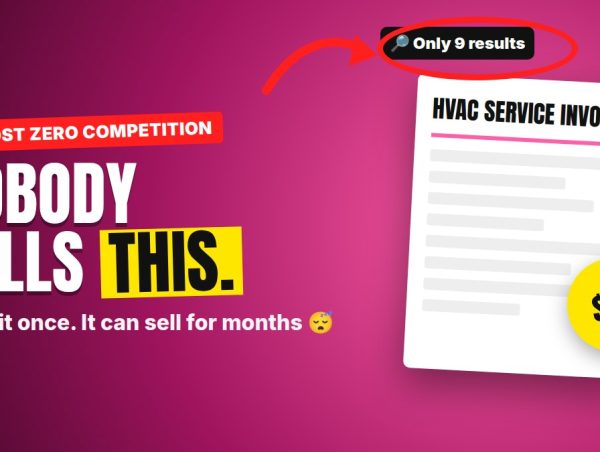
- How many results are there in total?
- Do the top listings look professional, or rushed?
- Do the top shops have thousands of reviews, or dozens?
Good sign: a niche where top listings have sales and reviews, but the designs look outdated or generic.
Step 4: Go one level narrower (1 minute)
If “Airbnb welcome book” is crowded, try “Airbnb welcome book for cabin,” “lake house guest guide” or “Airbnb welcome book editable Canva.” Each extra word shrinks the competition.
10 niche ideas to get you thinking
- HVAC service invoice template
- Dog grooming client intake form
- Wedding seating chart template for Canva
- Homeschool attendance log (state-specific)
- Youth soccer practice plan template
- Lake house guest welcome book
- Food truck daily inventory sheet
- Real estate open house sign-in sheet
- Nanny daily report sheet
- Cleaning business checklist for move-outs
Use these as starting points — always check the competition yourself before creating.
How AI speeds it up
- Research: ask ChatGPT or Claude “What paperwork does a [profession] deal with every week?” — you’ll get a list of template ideas instantly.
- Content: AI drafts checklists, field names and instructions.
- Design: build it in Canva (editable templates are popular with buyers).
- Listing: AI helps write your title, tags and description — then you edit.
Etsy’s AI rules (important)
Etsy’s policy says sellers must disclose in the listing description if an item was created with the use of AI. Put the disclosure in the description near where you explain your process — not hidden in tags. Etsy also requires items to be based on your own original design and doesn’t allow selling AI prompt bundles.
The bigger issue is quality. Low-effort AI clutter gets poor reviews and gets buried. Use AI for speed, then make the template genuinely useful: correct fields, clear instructions, a clean layout.
How to price templates
| Product type | Common price range |
|---|---|
| Single printable/PDF | $3–$8 |
| Editable Canva template | $7–$20 |
| Bundle (5–10 templates) | $15–$40 |
Bundles work well: once you’ve built one template for a niche, making 4 related ones is fast — and buyers love getting everything at once.
Your first month
- Week 1: Find 5 niches using the method above.
- Weeks 2–3: Create 2 templates per niche (10 listings total).
- Week 4: Check which listings get views and favorites. Make more for those niches.
Sales vary widely. Etsy charges listing and transaction fees — check current fees before pricing.